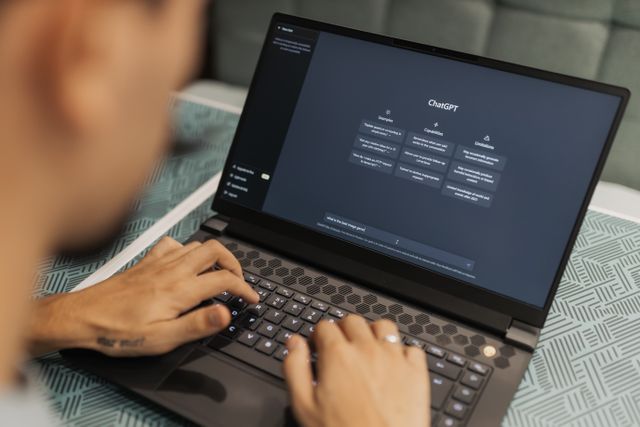
The Tucson Gem Show AI Prompt Toolkit is a free, field-tested prompt generator built specifically for the Tucson Gem, Mineral & Fossil Showcase. Just tap Copy and paste into ChatGPT, Gemini, or Claude for sharp, pro-buyer insights on wholesale pricing, authenticity, negotiation, and logistics.
Tucson Gem Show AI Prompt Toolkit
to
*Your settings save automatically in your browser. Even if you close the AI chat window later, every Copy button below automatically bundles your profile and strict rules when copied—so you can paste into a fresh chat anytime without starting over.
*Privacy & Disclaimer: We never collect or see your AI chats, photos, or data. AI outputs are for reference only; we are not affiliated with ChatGPT, Gemini, or Claude and assume no liability.
Pre-Show Prep & ItineraryExpand (5)
Buying, Pricing & NegotiationExpand (8)
Shipping, Packing & CustomsExpand (6)
Emergencies & DisputesExpand (4)
Why This Toolkit Beats Generic AI Prompts
- Built on Real Tucson Show-Floor Experience
Each prompt embeds actual dealer dynamics, wholesale vs. retail pricing traps, and Tucson logistics—delivering sharp, actionable buyer judgment instead of generic textbook answers. - 1-Second Mobile Verdicts on the Show Floor
No walls of fluff while standing in front of a booth. Every evaluation opens on Line 1 with a clear verdict (“BUY IMMEDIATELY”, “NEGOTIATE”, or “PASS”) so you can decide fast. - Zero Prompt Engineering Required—Just Tap & Paste
From itinerary routing and authenticity checks to fair wholesale valuation, negotiation scripts, and shipping invoices, just tap Copy next to the task that matches your situation.
How to Use This AI Prompt Toolkit
1. Set Your Profile & Launch AI
Select your AI (ChatGPT, Gemini, or Claude), set your budget and dates, then tap the green button to start a fresh chat pre-loaded with your profile and rules. (Settings auto-save in your browser)
2. Tap Copy & Paste Into Chat
Tap Copy next to any prompt below (your profile and strict rules are automatically bundled). Paste it into your AI chat. If you close your chat tab by mistake, just open a new one and paste—your setup is never lost.
3. Attach Photos On-Site
Upload photos of specimens, booth price tags, or receipts right alongside the prompt for instant authenticity checks, True Net Cost math, and CSV expense tracking.
Frequently Asked Questions
Q. Does this AI prompt toolkit work with free ChatGPT, Gemini, or Claude plans?
Yes, every prompt works on free plans. However, if you plan to upload dozens of specimen, label, and receipt photos on the show floor, upgrading to a paid AI plan during the show avoids image upload and rate limits.
Q. What happens if I accidentally close my AI chat tab or browser mid-trip?
You will not lose your setup. Your buyer profile saves automatically in your browser, and every Copy button bundles your profile and strict evaluation rules together when copied—so you can open a brand-new chat anytime and paste immediately.
Q. How does the toolkit handle currency and tax calculations for US vs. international buyers?
All pricing and True Net Cost calculations default to USD for maximum simplicity on the show floor. If you are an international buyer or want EUR/GBP conversions, AZ sales tax, or import VAT/duty estimates factored in, simply mention your country or currency in your message.
Q. Can I view or customize the prompts before sending them to the AI?
Yes. Tap View next to any prompt to inspect the full text, or paste it into your AI chat box and edit specific details before hitting send.
Q. Why isn’t the green launch button opening my AI app properly?
In-app browsers inside social media apps like Instagram, X, or Facebook often block external app launches. Open this page directly in Safari or Chrome—and note that your prompt is already copied to your clipboard, so you can open your AI app manually and tap Paste.